Translators, lifted.
Scripture translation software where text and audio translation live under one roof — with video captions coming soon. From OT and NT drafting through team and consultant review to publication. Real-time guidance, team collaboration, and a Living Memory that learns from your corrections — so Scripture reaches every language, in every medium it's heard, read, and watched.
For God so loved the world, that he gave his only Son, that whoever believes in him should not perish but have eternal life.
Porque de tal manera amó Dios al mundo, que ha dado a su Hijo unigénito, para que todo aquel que en él cree no se pierda, mas tenga vida eterna.
Proven in some of the highest-stakes, lowest-resource translation there is
What Bible translation software does.
Bible translation software is the workspace teams use to study the source, draft, revise together, check the text, and prepare Scripture for publication. Searchers comparing this category are usually deciding among Paratext, a lighter multi-device editor such as Bibledit, or a browser companion such as Scripture Forge.
Aquilla is Bible translation software in the browser: agents draft and remember, translators stay in authority, and USFM/USX still moves work to Paratext when consultants or archives need it. It is not a Windows or Linux install, not a Paratext Registry account, and not Send/Receive.
Desktop install or browser workspace.
Paratext is a registered desktop application on Windows and Linux, with Paratext Lite on Android. Teams synchronize with Send/Receive. Bibledit can be installed on many devices or used in the cloud. Scripture Forge is a browser app that sits beside Paratext.
Aquilla is a browser workspace. Open it in a signed-in account — there is no desktop installer and no Paratext Live or Send/Receive. If a consultant still checks in Paratext, export USFM. If you need the desktop checking suite — biblical terms, versification, parallel passages — keep that work in Paratext.
Bible translation software is a job list — not only Paratext.
Searchers comparing Bible translation software land on Paratext, Bibledit, and Scripture Forge. Those are different jobs: a desktop study → draft → check → publish suite with Send/Receive, any-device editing including offline, and a browser companion that drafts into Paratext. Aquilla is a browser workspace with expert-in-the-loop AI and USFM export — not a Paratext install.
| Job | Aquilla | Typical result for this search |
|---|---|---|
| Study, draft, check, and publish on a desktop install with Send/Receive | No — Aquilla is a browser workspace. Export USFM. It is not Send/Receive. | Yes — Paratext on Windows and Linux |
| Work on any device, including offline | Browser when you are signed in. Not a native offline install. | Yes — Bibledit on many operating systems, then cloud sync |
| Generate an AI draft that stays inside Paratext | No — Aquilla does not sync into Paratext. Export USFM if a consultant still checks there. | Yes — Scripture Forge is a Paratext companion |
| Run the desktop checking suite (biblical terms, versification, parallel passages) | No — keep that work in Paratext. | Yes — Paratext is the checking suite |
| Draft text and audio in one workspace | Yes — text and audio today. | Usually text-first; oral work is often a separate tool |
Most of the world meets Scripture by listening, not reading.
For too long, tools forced a choice between the written word and the spoken one. Aquilla refuses it. Translate text and audio today, with captions and subtitles for video coming soon — all drafted against one source, held to one project's voice, kept in sync as it grows.
Trusted translations — even in languages most tools have never seen.
Aquilla brings real AI assistance to the long tail: the thousands of languages with little data and, often, a single translator. Here is John 3:16 across the world's tongues — the kind of trusted, expert-led translation now within reach for the languages still waiting.
لەبەر ئەوەی خودا ئەوەندە جیهانی خۆشویست، تەنانەت کوڕە تاقانەکەی بەختکرد، تاکو هەرکەسێک باوەڕی پێ بهێنێت لەناو نەچێت، بەڵکو ژیانی هەتاهەتایی هەبێت،
Fix it once. The system learns.
Post-editing AI output is just the old waterfall with a faster first draft — you still fix the same mistake in every chapter, forever. In Aquilla, a correction becomes guidance. The next draft already knows your team's terms, your register, your decisions.
- AI Translation Assistant: Living Memory learns from your project's context and corrections — quality beyond generic LLMs that have never seen your language or your team's voice
- Translation Memory: Automatic suggestions from your approved work maintain consistency across passages and projects — every correction compounds
- Team Collaboration: Roles, review workflows, and inline comments so multiple translators work in sync with one shared project memory
- Integration: Import/export USFM and USX formats for Paratext compatibility — works with the tools translation teams already trust
…y allí desperdició sus bienestar viviendo perdidamente.
Review support you can inspect.
Every cell carries a retrieval-support signal showing how it connects to approved, trusted work around it. The signal helps reviewers prioritize terminology and context checks; it never replaces expert review.
- Explainable support evidence for every cell — text and audio
- Lower-support work surfaced for closer review
- Works whether one expert is steering or a whole team is — no fixed review pipeline
Drafting and checking aren't phases. They're one loop.
The hidden cost in translation isn't drafting — it's the waiting between steps: the handoffs, queues, and "waiting for review" states between every phase. Aquilla collapses them into one continuous flow, where every pass compounds quality instead of waiting on the next. Learn about traditional Bible translation workflow stages.
Pilots don't fly for six hours, then ask someone to check the route. They steer, constantly. Translation should too.
125 languages. A Guinness World Record. Twice.
Come and See is translating The Chosen into 600 languages to reach 95% of the world. With experts steering and the system carrying consistency and in-flow review, they reached 125 languages — including 39 low-resource languages a subject-matter expert could finally carry — reaching communities that would otherwise still be waiting for a team to free up.
People need to hear the story of Jesus in their own language — the language they speak, dream, and pray in.
Partners are shipping faster.
The AI drafting engine was impressive… After only 9 months of translation, 7 Old Testament Books have been completed and released digitally… The team is encouraged and inspired by this incredible progress.
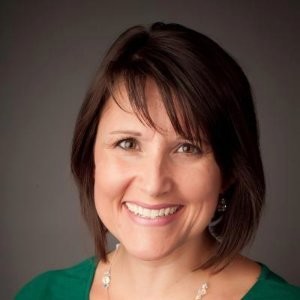 Michelle BryantSenior Director of Emerging Technology Translations, Biblica
Seven Old Testament books drafted, finished, and released digitally in nine months.
After adjusting downward to account for differences in QA depth and community involvement, this still represents roughly a 4× acceleration in translation throughput.
 Randall TanField Activator, ETEN Innovation Lab
Five Lab teams drafted at least the four Gospels in about five months — 89 chapters versus a conventional ~40 chapters per year. The fastest team came just short of a full New Testament, about 16× the usual drafting pace before formal consultant review.
Free for Bible translation teams.
Anyone can start on the Free plan. Bible-translation organizations and ETEN affiliates get team-plan access at no cost — contact us to activate your workspace. See pricing for the weekly AI allowance and plan details.
Free
Explore the core editor, import/export, and basic AI assistance with a weekly personal workspace allowance.
- Full workspace — text and audio translation
- Real-time guidance & back-translation
- Unlimited personal projects
- On-device speech
Enterprise support
Running translation at scale or need dedicated help? We're happy to support you directly — your mission matters. Just talk to us.
- Dedicated onboarding & direct support
- Coordination across large programs
- We want to see you succeed
Scripture translation software FAQ
What is Bible translation software?
Bible translation software is the category of tools teams use to draft, check, and publish Scripture. The industry standard is Paratext. Alternatives include Bibledit (a multi-device editor) and Scripture Forge (browser drafting and community checking next to Paratext). Aquilla is a browser workspace with expert-in-the-loop AI and Living Memory; it exchanges USFM/USX rather than replacing a desktop install.
Does Aquilla replace a Paratext desktop install?
No. Aquilla does not install on Windows or Linux, does not join Paratext Registry, and does not implement Send/Receive. Teams that already live in Paratext can import and export USFM and keep consultant checking there. Teams that want a browser workspace with expert-in-the-loop AI can work in Aquilla and still hand USFM to Paratext when needed.
Is Bible translation software the same as Paratext?
Paratext is the industry-standard desktop suite in this category — study, draft, revise, check, publish, and Send/Receive. Searchers also land on Bibledit (any-device editing) and Scripture Forge (browser drafting next to Paratext). Aquilla is Bible translation software in the browser: agents draft and remember, translators stay in authority, and USFM/USX still moves work to Paratext when consultants or archives need it. It is not Paratext, and it does not replace a Paratext install.
Does Bible translation software have to stay connected to Paratext?
No. Scripture Forge is a Paratext companion: AI drafts and community checks sync back into a Paratext project. Bibledit can stand alone or use a Paratext Bridge. Aquilla works without Paratext. If a consultant still checks there, export USFM. Aquilla does not implement Send/Receive or join Paratext Registry.
How does Aquilla compare to Paratext or Scripture Forge?
Paratext is the industry standard for team-based Bible translation with structured workflow control and USFM exchange. Scripture Forge adds web-based collaboration and AI draft generation on top of Paratext sync. Aquilla takes a different approach: instead of phased workflows (drafting → checking → consulting), we collapse those into one continuous steering loop where the AI learns from your corrections in real time. You're not post-editing machine output — you're steering from the first word, with Living Memory carrying your decisions forward. We also support multimodal translation (text + audio + video captions) in one workspace, which no other tool offers today.
For Paratext integration: Aquilla supports importing and exporting USFM/USX files, so you can start a project in Paratext, enhance it in Aquilla with AI assistance and multimodal features, then export back to USFM for consultant checking or archival. Teams can maintain their established Paratext workflows while gaining access to Living Memory, real-time collaboration, and audio translation — all without abandoning the tools consultants already trust.
Does Aquilla support USFM or USX format?
Yes. Aquilla supports importing and exporting USFM and USX formats, so you can integrate with existing Scripture translation workflows that use Paratext, Bibledit, or other USFM-based tools. Our native format is optimized for real-time collaboration and multimodal translation, but we maintain compatibility with the formats translation teams already use.
Can I access original language texts and biblical resources?
Yes. Aquilla integrates with original language texts (Hebrew, Aramaic, Greek) and biblical reference materials so translators can work from source texts with exegetical accuracy. Our Living Memory learns from your contextual decisions while you maintain access to the original meaning and linguistic nuances. This ensures Scripture translation maintains fidelity to the source while being natural in the target language.
Is Aquilla suitable for teams or just individual translators?
Aquilla is built for teams. Multiple translators can work in the same project with cloud sync, status tracking, and Living Memory that maintains consistency across everyone's work. Unlike phased systems where one person waits on another's review, Aquilla lets drafting and checking happen in one continuous flow — so consultants, translators, and reviewers can all contribute without handoff queues.
Team features include: project roles (translator, reviewer, consultant, admin) with appropriate permissions; inline commenting and threaded discussions on specific passages; real-time status tracking so everyone sees what's in-progress, ready for review, or approved; and shared Living Memory that learns from all team members' corrections. Whether you're a translation team of two or coordinating consultants across dozens of language projects, Aquilla keeps everyone working from the same source of truth.
What makes Aquilla better for low-resource languages?
Most AI translation tools fail when a language has little training data. Aquilla's Living Memory learns fromyour project's decisions, not just pre-trained data — so even if your language has zero prior coverage, the system compounds your expertise as you work. Come and See reached 39 low-resource languages this way: a subject-matter expert could finally carry a language solo, with the AI remembering context and consistency instead of guessing every word from scratch.
Is Aquilla free?
Anyone can start on the Free plan: translate as much content as you want, with a weekly allowance of AI assistance. Bible-translation teams and ETEN affiliates get team-plan access at no cost — contact us to activate your organization’s workspace. See pricing for the details.
Can I use Aquilla for non-Scripture translation?
Yes! While Aquilla was designed for Bible and Scripture translation (which is why Living Memory, multimodal support, and low-resource AI are core), the workspace supports any text or audio translation project. Churches use it for sermon translations, ministry content, and discipleship materials. If you need contextual memory, team collaboration, and AI that learns your voice, Aquilla works.
How do I migrate from Paratext to Aquilla?
Export your Paratext project to USFM (Paratext does this natively), then import those files into Aquilla. Verse text, chapter structure, and formatting come across so you are not starting over.
You can keep a hybrid workflow: draft and team review in Aquilla, then export USFM again for consultant checking in Paratext or for archival. Mid-project books import as far as they have been drafted.
Practical sequence: import USFM → review formatting → train the team on Living Memory (usually one or two sessions) → continue the work. Most teams are productive within the first week.
Is my translation data secure and exportable?
You retain ownership of the translation work you put in Aquilla. Export USFM/USX at any time for archival, consultant review in Paratext, or a later move to another tool. The work is not trapped in a proprietary format.
Team members reach projects through authenticated accounts, and you control who can translate, review, or export. We do not sell your project content. Inference providers see only what is needed to run the feature you used — see the Privacy Policy for the current list.
Translators, lifted.
Open your source text, draft in any medium, and let the system steer alongside you. Start today — it's free.